Tool Tracker
The Masso G3 does not tell the tool change subroutines which tool is in the spindle. The Tool Tracker keeps track of it instead. Each I/O pair is a Masso auxiliary output wired to a Masso auxiliary input. Together the pairs hold the number of the tool in the spindle, as on/off bits: every tool change turns the outputs on or off to record the new tool, and the next tool change reads it back through the inputs.
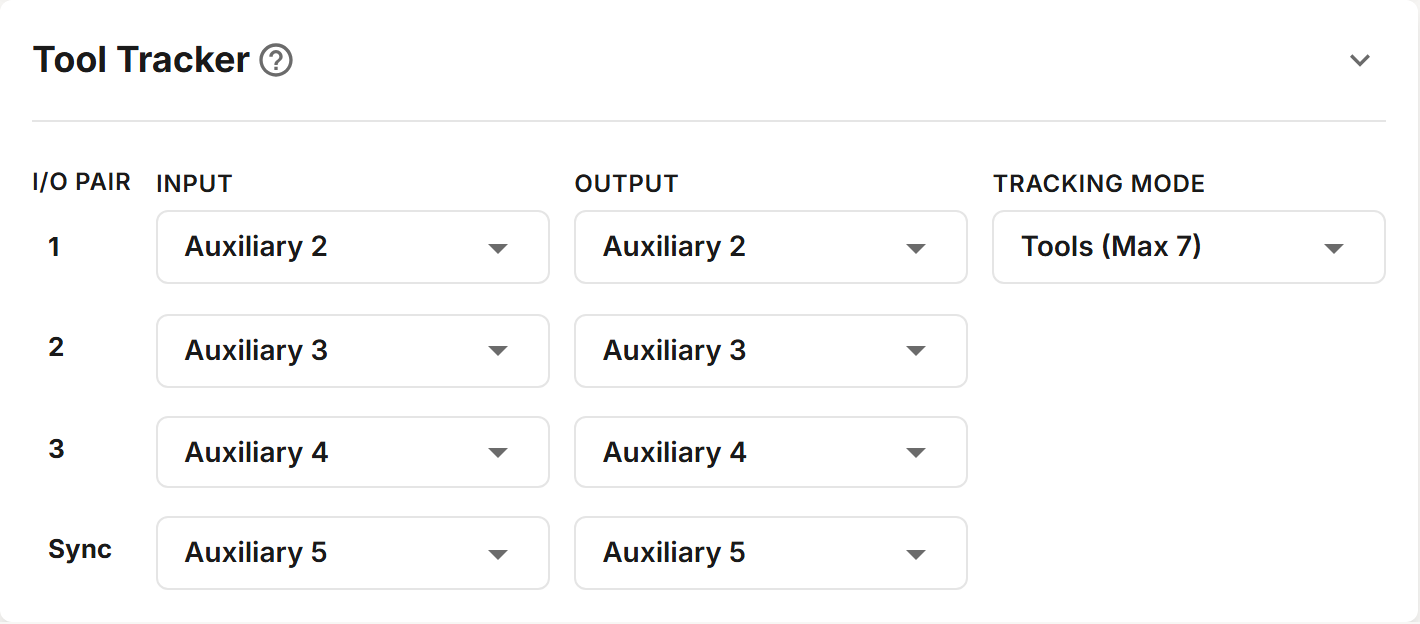
Fields
| Field | Description |
|---|---|
| I/O Pair | The pair's number, or Sync for the last pair, which records that the tracker has been synced. |
| Input | The Masso auxiliary input the pair's output is wired to: Auxiliary 1 to Auxiliary 16. |
| Output | The Masso auxiliary output the pair drives: Auxiliary 2 to Auxiliary 16. |
| Tracking Mode | Shown on the first row: Tools (Max 7), Tools (Max 15) or Tools (Max 30), the highest tool number the tracker can hold. |
Inputs and outputs already used elsewhere in the profile are disabled in the lists.
How many pairs
| Tracking Mode | I/O pairs, with the Sync pair |
|---|---|
| Tools (Max 7) | 4 |
| Tools (Max 15) | 5 |
| Tools (Max 30) | 6 |
The section adds or removes pairs to match the mode when you save it. A new profile uses Tools (Max 7), with pair 1 on Auxiliary 2, pair 2 on Auxiliary 3, and so on: wire your Masso to match, or change the pairs here to match your wiring.
Only tools up to the mode's maximum can be used. See Tools.
Syncing
The tracker must agree with the spindle before a tool change runs. Until it has been synced, a tool change stops with "Sync current tool - not synced". Sync it when you first set up, whenever the Masso has been switched off, and whenever you change a tool by hand outside a tool change. Run the program that matches the spindle:
| Program | Run it when |
|---|---|
| Sync Empty Spindle | The spindle is empty. |
| Sync Tool n | The spindle holds tool n. |
Each sync program then reads the pairs back. It ends with "Active Tool: n", or with "Check I/O" and the input and output of each pair that did not follow.
Show Active Tool shows the tool the tracker holds, without changing it.
Testing the Pairs
Run Tool Tracker Test after wiring. It turns each pair's output on and off and checks that its input follows. It ends with "Success! Tool Tracker is working", or stops at the first pair that fails, such as "Pair 2 Failure: In 3 Out 3".
If a pair fails, check its wiring and that the input is not inverted in the Masso's F1 SETUP.
If the tracker reads a tool number that is not in the profile, a tool change subroutine shows "ERROR: Tool n is invalid!" and returns to your program without changing the tool.
If you see "ERROR: Tool n is invalid!", stop the job yourself: your program carries on with the tool that is already in the spindle. Sync the tracker before you run the job again. See Syncing, above.