Tool Setter Position
The Tool Setter Position section sets where your tool setter is, in MACHINE COORDINATES. At the end of every tool change that loads a tool, the spindle rises to Z Clearance, moves to this X and Y, and calls Tn M6 for the new tool n. The Masso then measures the tool itself, with its own tool setter settings.
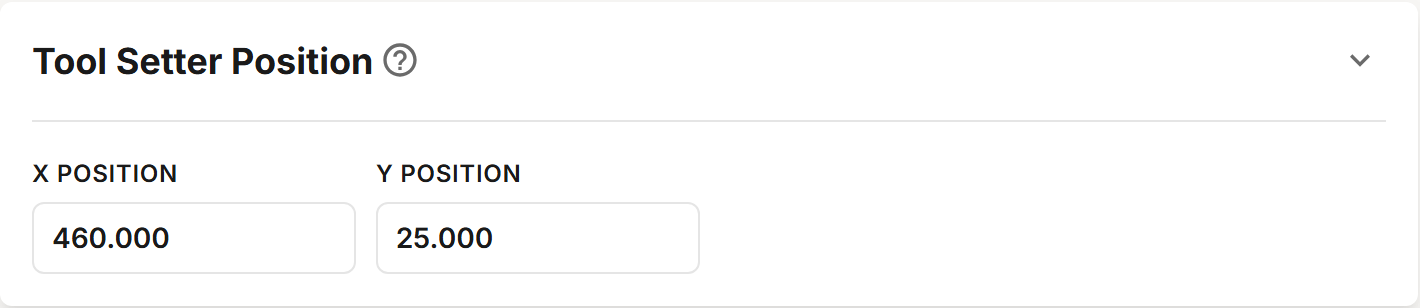
Fields
| Field | Description |
|---|---|
| X Position | MACHINE COORDINATE X of the center of the tool setter. |
| Y Position | MACHINE COORDINATE Y of the center of the tool setter. |
A Masso G3 profile has no Tool Measurement section: how far the spindle probes, and how fast, are set on the Masso.
A Solo profile has no Relational Position to choose and no dust cover to open or close.
Setting Up the Masso
The Masso measures each tool when the subroutine calls Tn M6. Set the Masso up so that call measures the tool at this position and goes nowhere else:
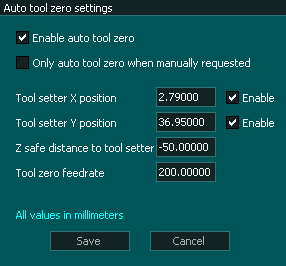
Set the Masso's Auto Tool Zero position, in F1 SETUP, to the same X and Y as this section.
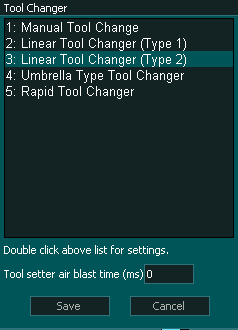
Set the same position in the Masso's Linear Tool Changer (Type 2) settings, in F1 SETUP.
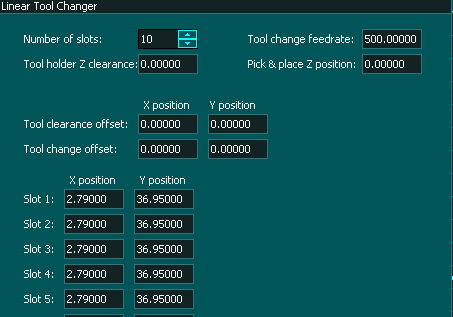
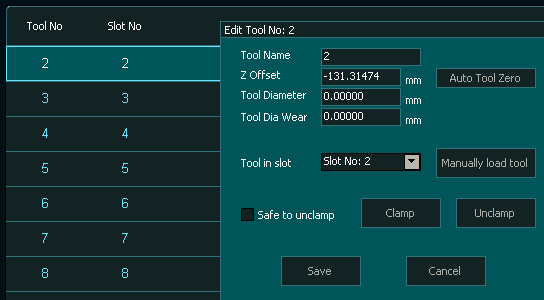
Give every tool its own slot, and set each slot's X and Y to the tool setter position. Every tool needs a slot, manual tools included.
Add each tool in F4 TOOLS & OFFSETS, with its slot. A tool with no slot stops the Masso with "TOOL TO LOAD NOT SET TO ANY SLOT" or "TOOL TO UNLOAD NOT SET TO ANY SLOT".
The Masso measures a tool on
Tn M6only when it does not already hold that tool as its current tool. If a tool change ends without the tool touching the tool setter, the Masso already showed that tool as loaded.