Solo Position
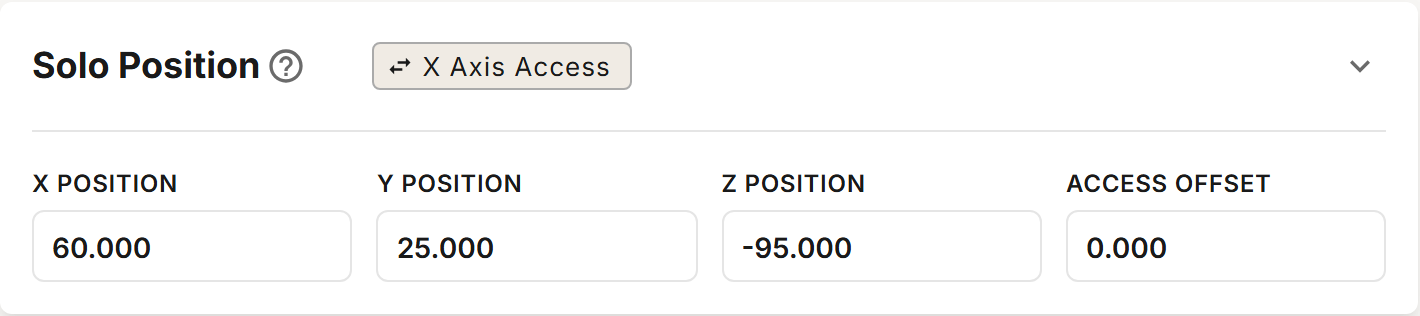
The Solo position is set from a single reference position on each of the X, Y and Z axes, in MACHINE COORDINATES. The Access Offset sets where the spindle waits while you swap the tool in the Solo.
Profile Section
Chip
The chip in the section's header shows the current setting. Click the chip to change it.
| Chip | Description |
|---|---|
| X Axis Access / Y Axis Access | The axis the spindle moves along by Access Offset. A new profile starts with X Axis Access. |
Fields
| Field | Description |
|---|---|
| X Position | MACHINE COORDINATE X of the pocket center. |
| Y Position | MACHINE COORDINATE Y of the pocket center. |
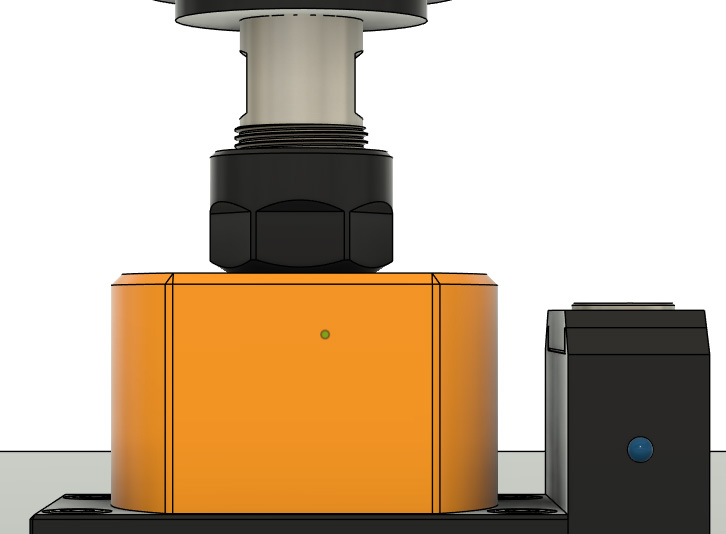
| Z Position | MACHINE COORDINATE Z where the bottom of the collet nut is flush with the top of the Solo. |
| Access Offset | How far the spindle moves along the access axis, from above the pocket, so you can reach the Solo to swap the tool. A positive value moves in the positive direction and a negative value in the negative direction. Its default comes from your Solo's model. |
Access Offset is a distance, not a MACHINE COORDINATE. To move 50 mm in the negative X direction, select X Axis Access and enter -50.
After the spindle unloads a tool into the Solo, it rises to Z Clearance (set in Move Heights) and makes a rapid move of Access Offset along the access axis. When the next tool is also changed through the Solo, the tool change waits with a message while you replace the unloaded tool with the tool to load. When you continue, the spindle moves back over the pocket and loads the new tool. When the next tool is a manual tool, the spindle goes to Manual Position instead, without the access move.
An Access Offset of 0 leaves the spindle above the pocket while you swap the tool. Any other value, however small, makes the access move.
The access move is a rapid move at Z Clearance. Make sure nothing is in its path.
The tool change engages the Solo at Z Position minus the Solo's Z Engage Offset. The offset comes from your Solo's model and is not set in this section.
Z Position must be low enough that this engage height is at least 50 mm below Z Clearance. Access Offset is flagged if it is more than 200 mm either way. Z Position is flagged beyond ±1,500 mm.
Determining X and Y Position
There are two methods for determining X and Y position. CNC-machined mounting is recommended because it gives you a known position directly from your machining coordinates.
CNC-Machined Mounting (Recommended)
Using your CNC to machine the mounting holes and locating pin pockets gives you a known X and Y position for the pocket.
- Move the spindle to where you want the pocket located and zero the X and Y work coordinates.
- Download the Solo's mounting pattern from Mounting Patterns on the profile's Magazine tab.
- In your CAD software, orient the pocket pass-through as the origin.
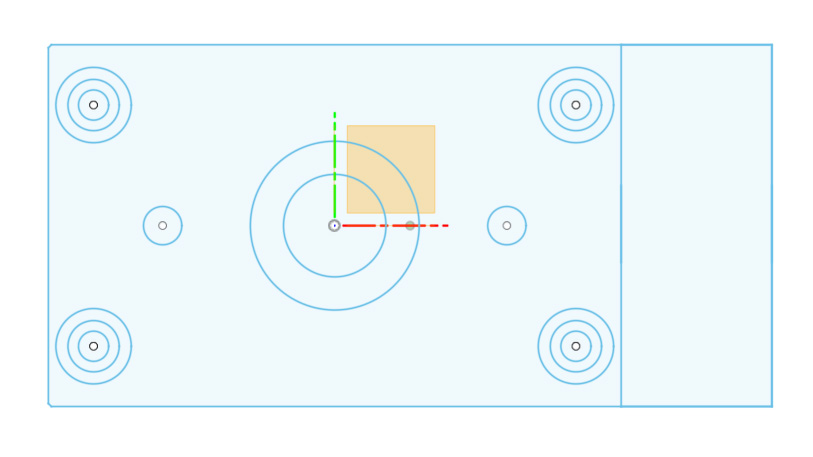
Tapped holes: The four small circles (5mm diameter) are for tapping M6 threads.
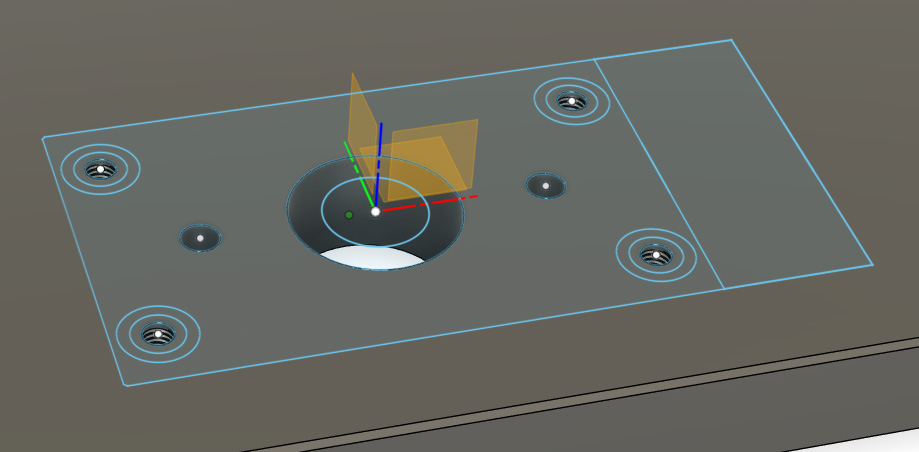
Threaded inserts: The larger circles are for M6 threaded inserts. Bore the outside 12.5mm diameter 1.5mm (0.06") deep. Bore the 8.5mm center hole minimum 18mm deep.
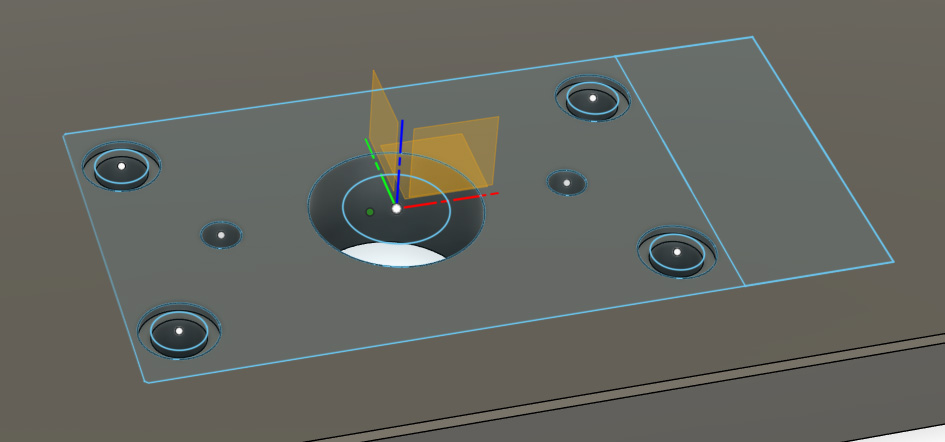
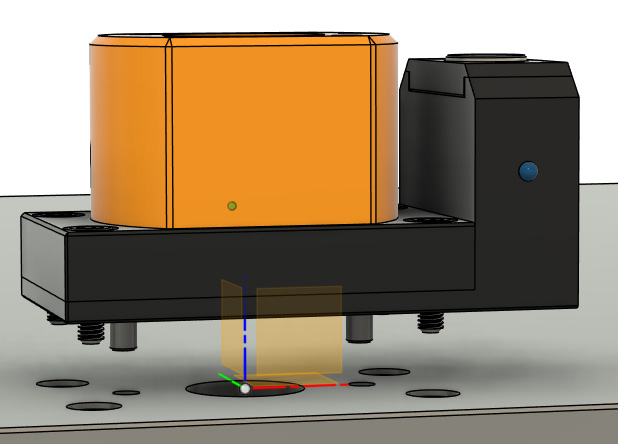
The tool stickout clearance pocket may be any diameter larger than your largest bit.
When bolting the Solo down, do not over-tighten. All forces are radial, and the Solo is held firmly in position by the locating pins. Deck screws may be used to fasten it to MDF, but M6 threaded inserts or tapped holes are preferred.
Manual Location
Attach the locator disc and 1½" × ¼" dowel pin to your spindle. Thread the assembly by hand until snug (hand-tight).
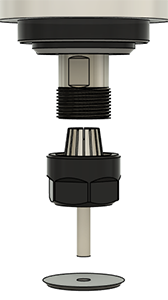
Jog the spindle over the pocket and mate the locator disc with the pocket. Adjust in X and Y using the disc as a visual indicator until centered. Increments of 0.1mm (0.004") will be within tolerance.
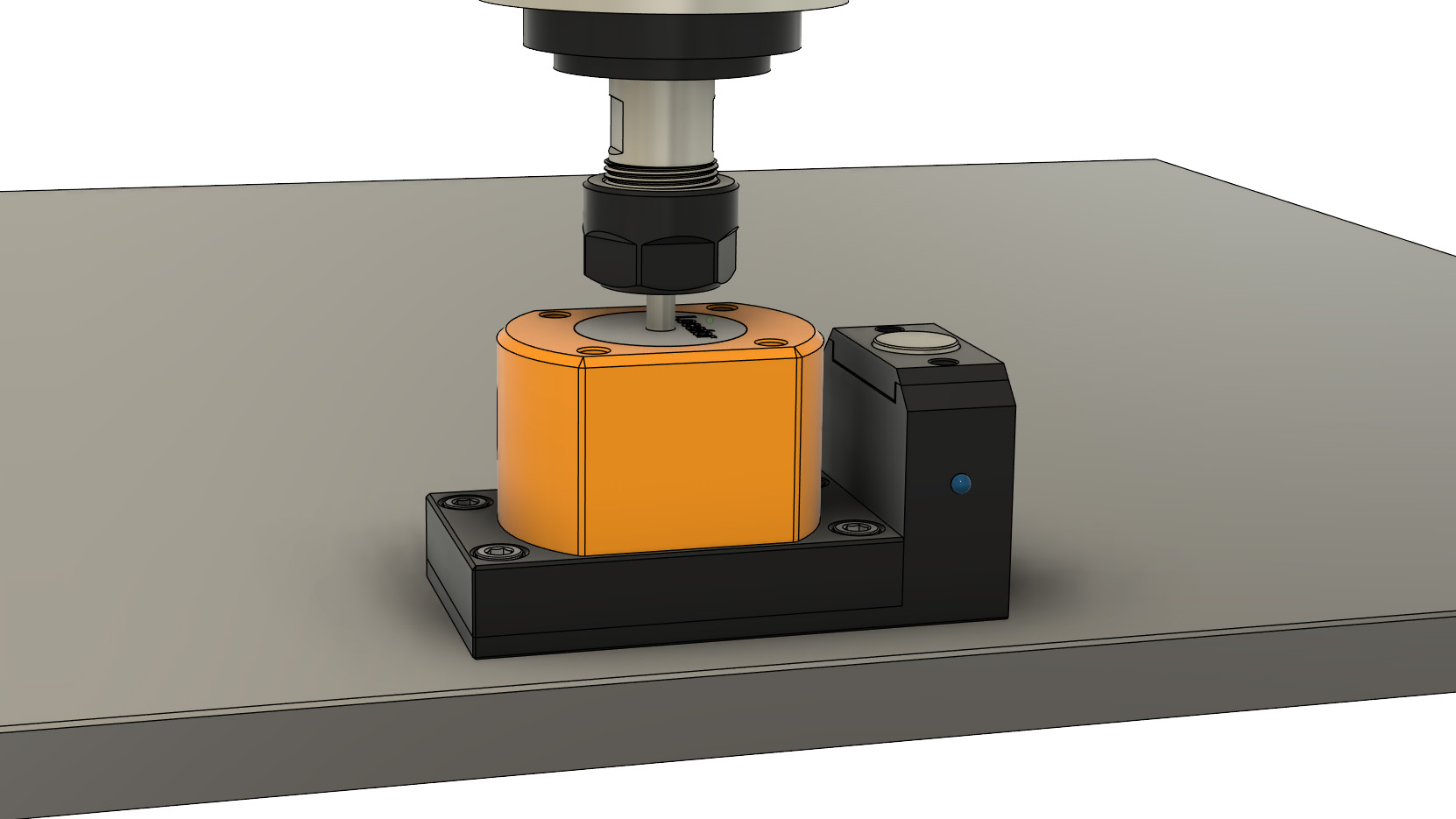
Record the MACHINE COORDINATES for X Position and Y Position.
Being off center by 0.5mm (0.020") or more may result in occasional failures loading and unloading. If you are within tolerance and still experiencing failures, check spindle tram.
Make sure the threads of your clamping nuts are free from burrs or sharp edges before placing them in service. Dress the starting thread on your spindle with some emery cloth or a fine-toothed file, just enough to roll any sharp edges.
Determining Z Position
The Z Position is found by aligning the bottom of the collet nut flush with the top of the Solo.
- Load a tool in the spindle and position it over the pocket.
- Jog down until the bottom of the collet nut is flush with the top of the Solo.
- Record the MACHINE COORDINATE for Z Position.