Manual Tools
The Manual Tools section lists the tools you change by hand. A manual tool is never loaded from or returned to the Solo: when a tool change unloads or loads one, the spindle goes to the Manual Position and the tool change waits with a message until you have changed the tool by hand and continued.
Any tool that should be treated as a manual tool must be explicitly declared in this section. Every other tool number from 1 to 255 is changed through the Solo, except where your controller treats tool 98 as no tool: tool 98 is then never changed.
Profile Section
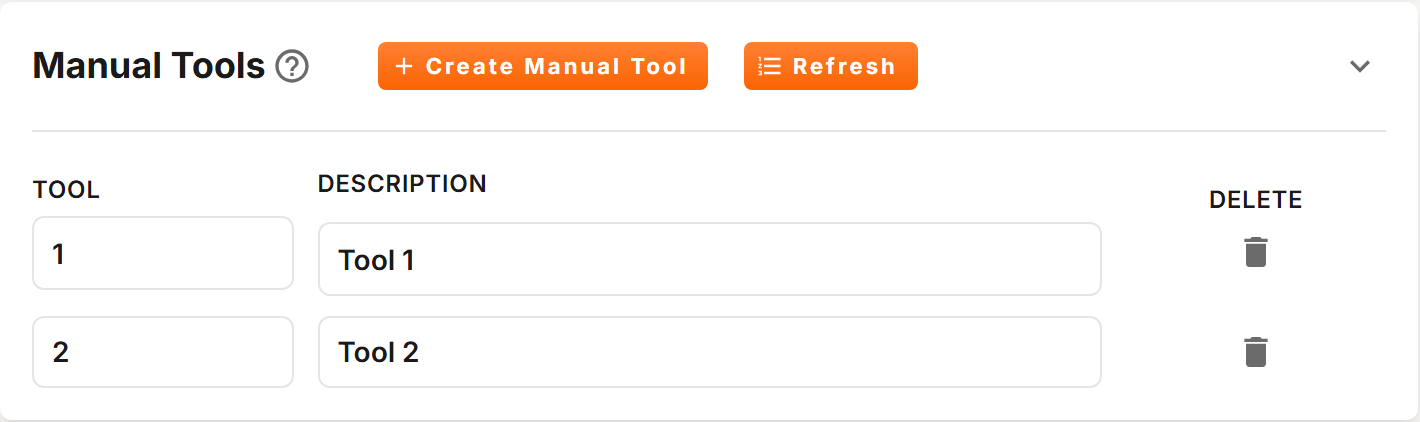
Actions
| Action | Description |
|---|---|
| Create Manual Tool | Adds a manual tool at once, described as Tool and its number. |
| Refresh | Reloads the list from your saved profile. |
| Delete | The trash icon on a tool's row. Deletes that tool after you confirm. This cannot be undone. |
Fields
| Field | Description |
|---|---|
| Tool | Tool number, 1 to 255. Duplicate tool numbers are not allowed. |
| Description | Optional name to help you identify the tool. Up to 50 characters are saved. |
Changes save automatically. If you change a tool's number to one already in the list, or to a number above 255, the change is undone and a message tells you why.