Tool Detection
The RapidChange ATC uses an infrared beam to detect proper loading and unloading. For controllers without available inputs, the IR sensor is wired to the probe pin, allowing detection through a probe-away routine.
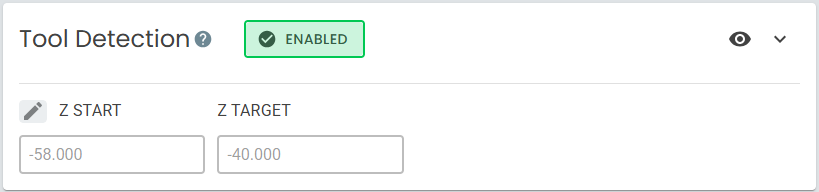
Toggles
| Field | Buttons | Description |
|---|---|---|
| Enable/Disable |   |
Enables or disables tool detection. When disabled, the section collapses and detection will not be performed during tool changes. Instead, subroutines will hold execution after loading and unloading with a message prompt. |
It is not recommended to use RapidChange ATC with Tool Detection disabled in a regular workflow.
Fields
Fields |
Description |
|---|---|
| Z Start | MACHINE COORDINATE at which the probe-away routine begins. At this height, the IR beam is broken under any condition (loaded or empty spindle). Auto-calculated from Z Position. |
| Z Target | MACHINE COORDINATE at which the IR beam clears for a properly loaded tool (read-only). This is the Z Position value from Pocket Positions. |
Additional
Fields |
Activator/Popup | Description |
|---|---|---|
| Z Start Offset |  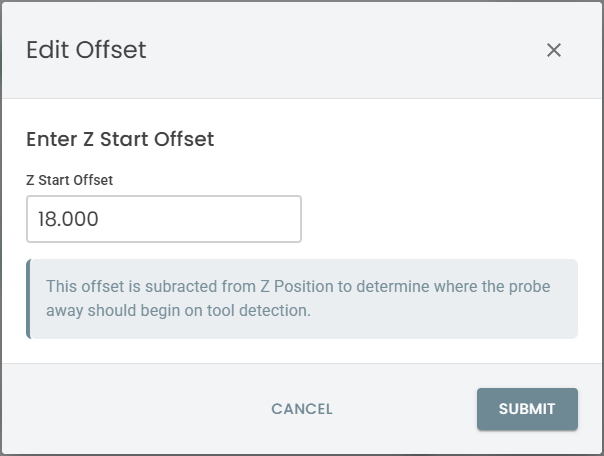 |
Offset subtracted from Z Position to determine the Z Start height. |
Detection Routine
After a load or unload operation, the following routine is performed:
- The spindle moves to Z Start where the IR beam is broken.
- The spindle probes upward until the IR beam is cleared.
- The resulting Z position is compared to Z Target.
- If the positions match within tolerance, the operation is confirmed successful. If not, the operation is flagged as a failure.