Macros
All macros for Mach3 are generated as Mach3 VB script macro files (.m1s). Each file is named after the M-Code it runs. Place the generated files in the macros folder of the Mach3 profile you run, for example C:\Mach3\macros\Mach3Mill.
Validation
When your profile has errors, a Profile has errors - macros unavailable box lists each error with the field it belongs to. The macros that need a valid profile are disabled in the list until the errors are fixed.
Find Z Position stays available while your profile has errors, since it is needed to find the Z Position value.
Before running Find Z Position, select the IR sensor's Input in Tool Detection.
Export Options 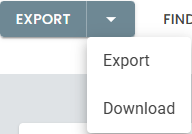
| Option | Description |
|---|---|
| Export | Generates the selected macros and writes them, unzipped, into a folder you choose: a flash drive to carry them across, or the Mach3 macros folder itself. Files of the same name in that folder are replaced. Shown only if your browser supports it. |
| Download | All Macros downloads a zipped folder: unzip its files into the Mach3 macros folder. A single macro downloads as its own file. |
Macro Selection
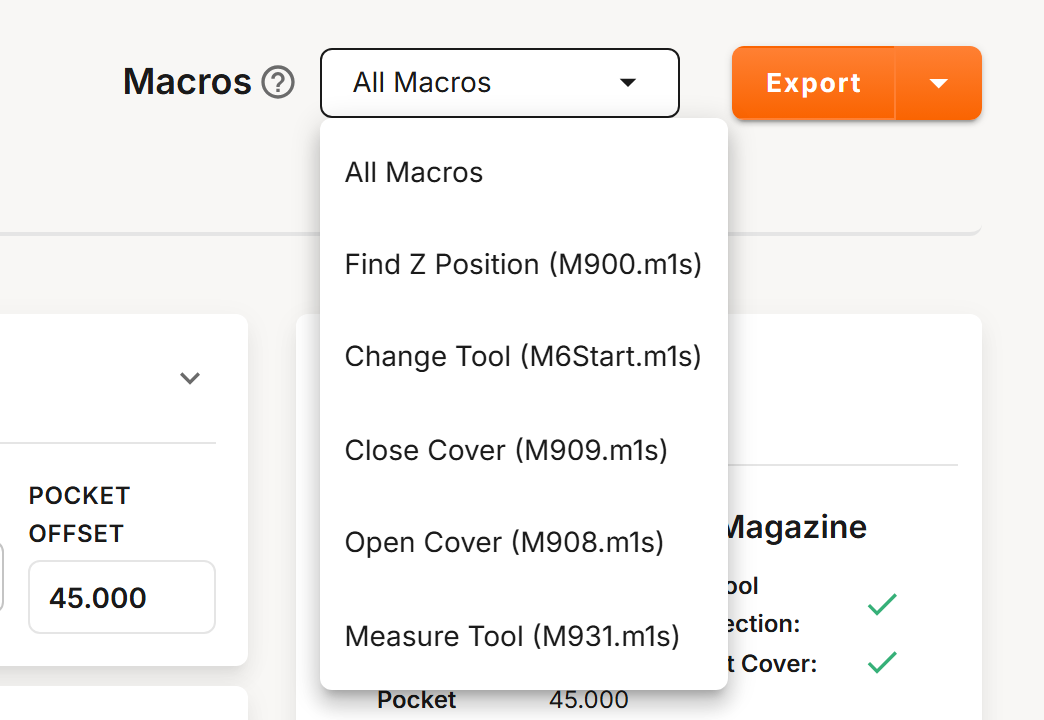
Choose All Macros for every macro your profile needs, or choose a single macro. Find Z Position is listed only when your magazine has IR tool detection, and the cover macros only when it has a dust cover.
All Macros includes only the files your profile uses: Measure Tool when the tool setter is enabled, and the cover macros when the dust cover is enabled.
Macro Reference
| Macro | File | Description |
|---|---|---|
| Change Tool | M6Start.m1s | Loads the selected tool, unloading the current tool as required. Usage: T1 M6 loads Tool 1. |
| Measure Tool | M931.m1s | Measures the tool in the spindle. See Tool Measurement for its settings. Usage: M931 |
| Open Cover | M908.m1s | Opens the dust cover. Usage: M908 |
| Close Cover | M909.m1s | Closes the dust cover. Usage: M909 |
| Find Z Position | M900.m1s | Moves the spindle up in 0.1 mm steps until the IR beam clears, then shows the MACHINE COORDINATE Z of that position. Usage: M900 with a tool loaded in its pocket, deep enough to break the IR beam. |
Mach3 has no Set Current Tool macro. Set the current tool in Mach3 itself.
To turn soft limits off while the macros run, see Additional Options.