Macros
All macros for GrblHAL are generated as .macro files. Each file contains the functionality for the associated macro that the file is named after. All generated files should be placed on the SD card.
Profile Section
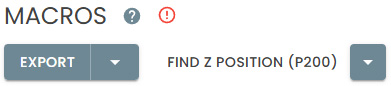
There are two main generation options available, Find Z Position and All Macros. Find Z Position is the only macro available for download until a value is entered for Z Position. All Macros will download all the The packages may be downloaded as a zipped folder or exported to a local directory if your browser supports it.
Errors
When an error is detected in your profile, macro generation is disabled for All Macros. The Find Z Position macro remains enabled since it is needed for configuring your profile.
Hover over the  tag to view information about the offending error.

Download
Clicking DOWNLOAD generates the macros and then downloads a zipped folder containing the selected generation package. The folder may be unzipped directly onto the SD card.
Export
Clicking EXPORT generates the macros and places them unzipped into a local directory either a flash drive to transfer or directly onto the SD card.
If your browser does not support the export operation, the option will not appear on your screen.
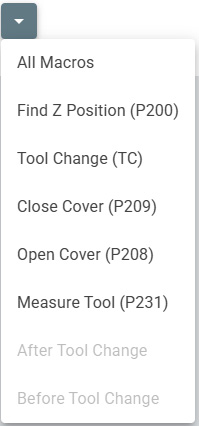
All Macros
With this selection, the following macros will be generated as they are required according to your ATC profile.
On start up the tool in the spindle must be designated with M61 Q[T] where T is the tool number 0 would be used for an empty spindle
Macro Execution
Find Z Position (P200.macro) - If the IR beam is broken, moves up until the IR beam is clear, recording the Z machine coordinate of the position at which it clears. Usage: With a tool loaded in the spindle, lower into a pocket deep enough to break the IR beam. Type
G65 P200into the console and hit enter..Tool Change (TC.macro) - TC.macro is not called directly. It will load the selected tool, unloading the current tool as required. Usage:
T1 M6loads Tool 1.Close Cover (P209.macro) - Closes the dust cover. Usage:
G65 P209Open Cover (P208.macro) - Opens the dust cover. Usage:
G65 P208Measure Tool (P231.macro) - Executes tool measurement and applies the tool length offset for the currently loaded tool. Usage:
G65 P231