Dust Cover
Dust covers are included with the RapidChange ATC Premium models. The dust cover must be wired to an output on your controller, then selected and enabled here.
The section is shown only for a magazine with a dust cover.
Chips
The chips in the section's header:
| Chip | Description |
|---|---|
| Enabled / Disabled | Turns dust cover control on or off. A new profile starts with it Disabled. While it is disabled, the section cannot be expanded, and the tool change does not open or close the cover. |
| Signal Normal / Signal Inverted | Shown only where your controller offers it. With Signal Normal, the cover opens when the output is turned on and closes when it is turned off. Signal Inverted swaps them. |
Fields
| Field | Description |
|---|---|
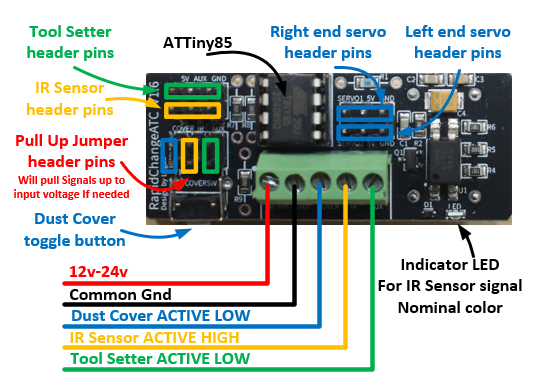
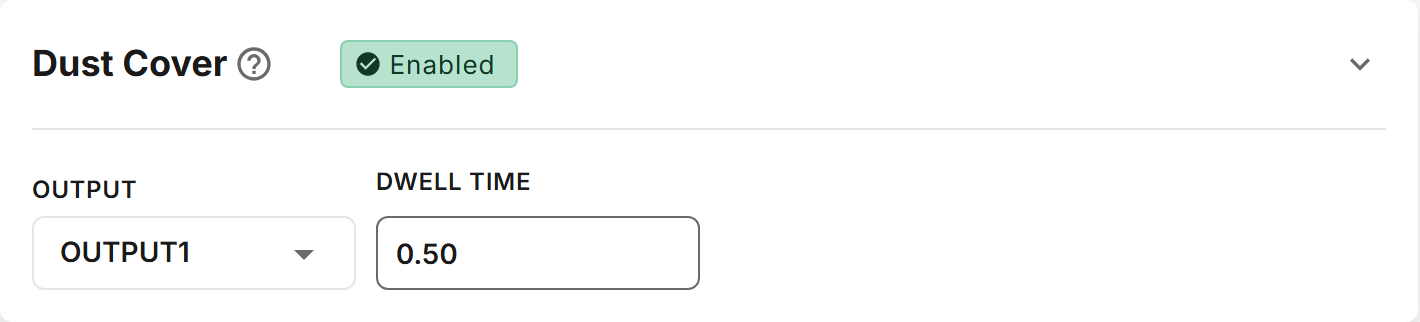
| Output | The controller output the dust cover (blue wire) is wired to. The list shows your controller's outputs. Where your controller addresses outputs by port and pin, the field is split into Output Port and Output Pin. Where the list offers Mist (M7) or Flood (M8), the cover opens with that coolant command and closes when coolant is turned off. |
| Dwell Time | Seconds to wait after opening the cover, so it is fully open before the spindle moves. Default 0.5 seconds. A dwell over 10 seconds is flagged as unusually long. |
The tool change opens the cover as it starts, and closes it after the new tool is loaded. When the tool setter is mounted on the magazine, the cover closes after the tool is measured instead.
Where your controller has them, Open Cover and Close Cover macros are also generated. All Macros includes them while the dust cover is enabled. See Macros.
Wiring
The dust cover signal from the controller requires an ACTIVE LOW output or relay. 5V–30V is required for the toggle button on the magazine to operate. The cover closes when the signal is pulled to ground. On some controllers, a jumper is required to pull the signal up. This is accomplished by jumping the header pins outlined in blue below.