Pocket Positions
Pocket positions are set from a single reference position on each of the X, Y and Z axes, in MACHINE COORDINATES. Only the first pocket is configured directly. Every other pocket is calculated from it, the Pocket Offset and the alignment chips.
On a profile with more than one magazine, the section shows the magazine selected in the Magazines card. Pocket numbers run on from one magazine to the next, so a second magazine's first pocket is not numbered 1.
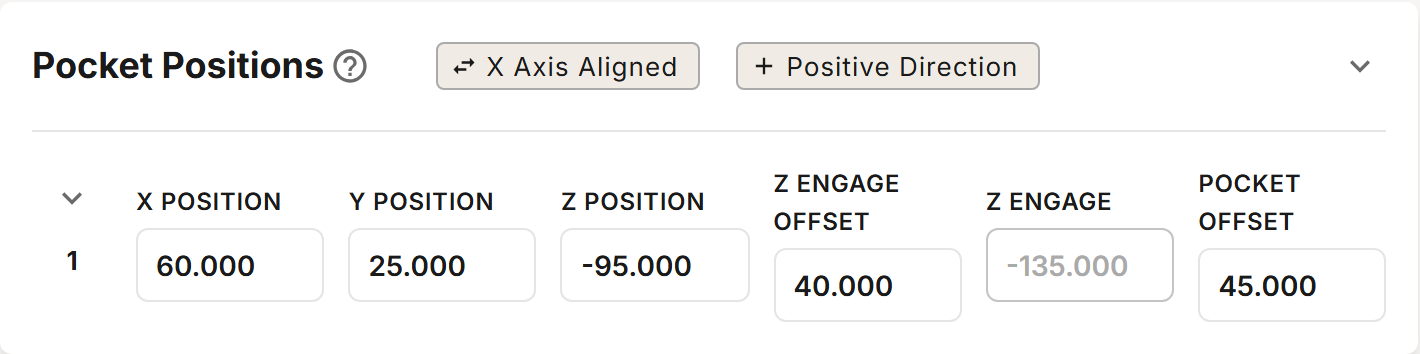
Chips
The chips in the section's header show the current setting. Click a chip to change it.
| Chip | Description |
|---|---|
| X Axis Aligned / Y Axis Aligned | The axis the magazine runs along. A new profile starts with X Axis Aligned. |
| Positive Direction / Negative Direction | The direction from the first pocket to the second along that axis. A new profile starts with Positive Direction. |
Fields
| Field | Description |
|---|---|
| X Position | MACHINE COORDINATE X of the first pocket's center. |
| Y Position | MACHINE COORDINATE Y of the first pocket's center. |
| Z Position | MACHINE COORDINATE Z where the IR beam clears the clamping nut, or where the collet nut is flush with the magazine for magazines without an IR sensor. |
| Z Engage Offset | The distance from Z Position down to Z Engage. Its default comes from your magazine's model, so it differs between models. The default rarely needs adjustment. |
| Z Engage | Read-only: Z Position minus Z Engage Offset. It shows the value from the last save. |
| Pocket Offset | The center-to-center spacing between pockets. Its default is your magazine's spacing, and it must stay within 1 mm of it. |
Z Position must be low enough that Z Engage is at least 50 mm below Z Clearance (set in Move Heights).
Click the expand button beside the first pocket to show the calculated positions of every pocket. They are recalculated when you save.
Determining X and Y Position
There are two methods for determining X and Y position. CNC-machined mounting is recommended because it gives you a known position directly from your machining coordinates.
CNC-Machined Mounting (Recommended)
Using your CNC to machine the mounting holes and locating pin pockets gives you a known X and Y position for the first pocket.
- Move the spindle to where you want the first pocket located and zero the X and Y work coordinates.
- Download the mounting pattern for your magazine (see Magazines).
- In your CAD software, orient the pocket pass-through as the origin.
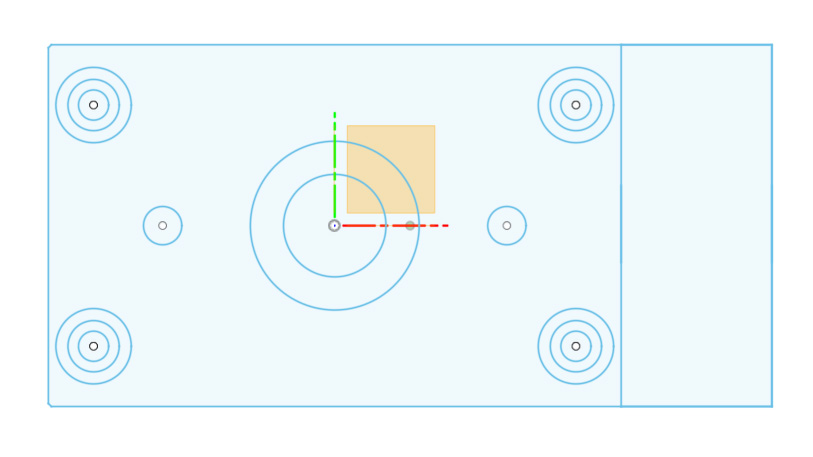
Tapped holes: The four small circles (5mm diameter) are for tapping M6 threads.
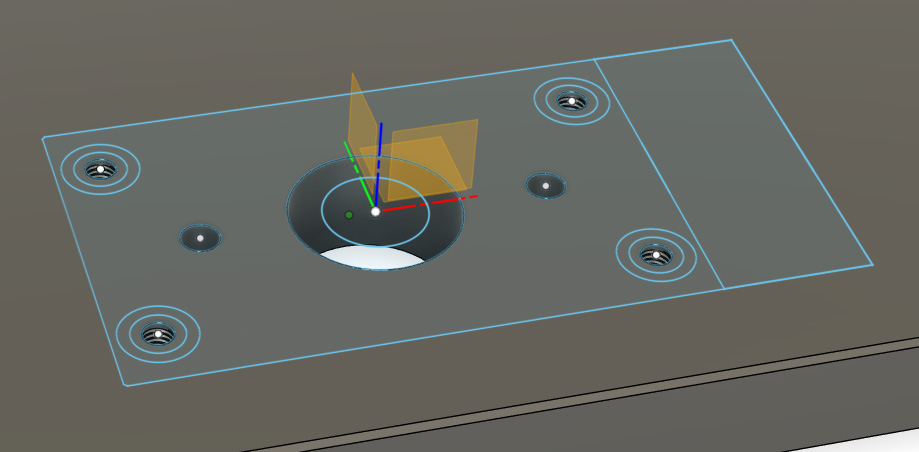
Threaded inserts: The larger circles are for M6 threaded inserts. Bore the outside 12.5mm diameter 1.5mm (0.06") deep. Bore the 8.5mm center hole minimum 18mm deep.
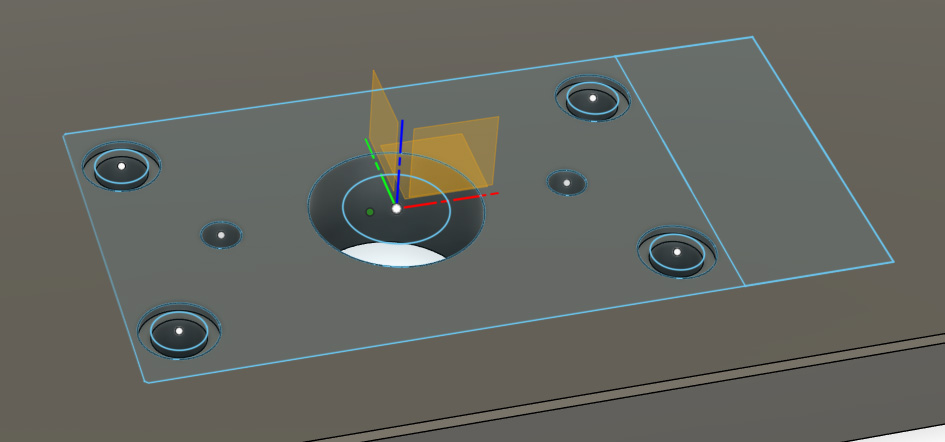
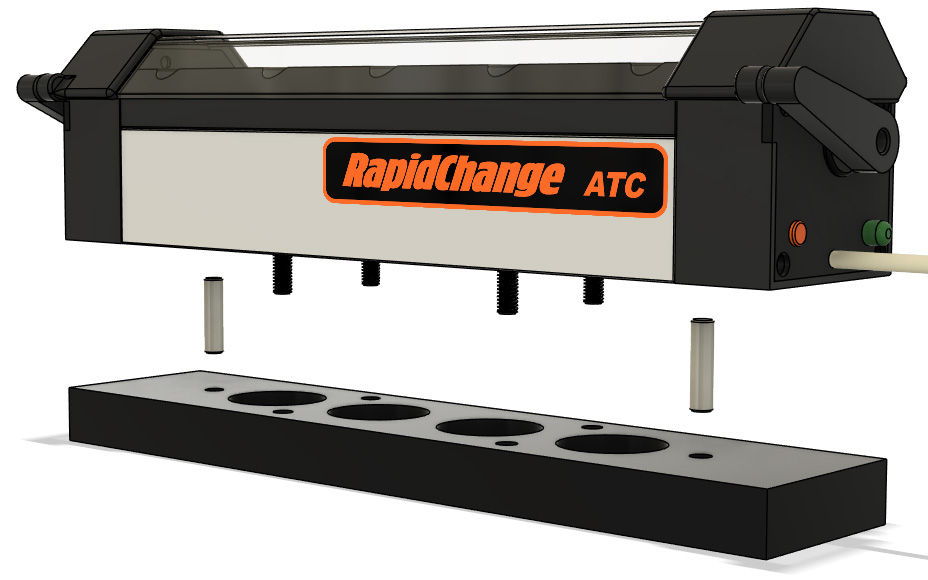
The tool stickout clearance pocket may be any diameter larger than your largest bit.
Manual Location
Attach the locator disc and 1½" × ¼" dowel pin to your spindle. Thread the assembly by hand until snug (hand-tight).
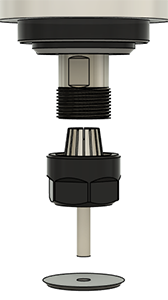
Jog the spindle over the first pocket and mate the locator disc with the pocket. Adjust in X and Y using the disc as a visual indicator until centered. Increments of 0.1mm (0.004") will be within tolerance.
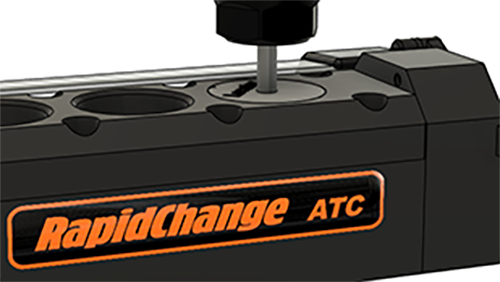
Record the MACHINE COORDINATES for X Position and Y Position.
Being off center by 0.5mm (0.020") or more may result in occasional failures loading and unloading. If you are within tolerance and still experiencing failures, check spindle tram. For additional guidance, see Installation.
It is recommended to ensure that the threads of your clamping nuts are free from burrs or sharp edges before placing them in service and to dress the starting thread on your spindle with some emery cloth or a fine-toothed file, just enough to roll any sharp edges.
Determining Z Position
All Z positions for tool changes are calculated from the Z Position reference. The method for finding it depends on your magazine.
Magazines with IR Sensor
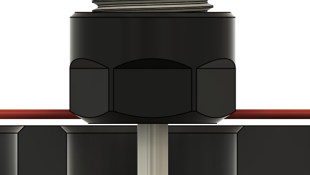
The Z Position is the point at which the IR sensor beam is first restored as a fully threaded clamping nut rises out of the pocket.
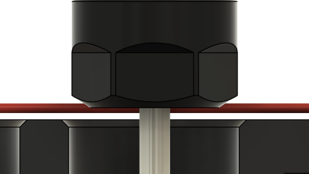
Before you start, select the IR sensor's Input in Tool Detection and place the Find Z Position macro (mfunc53.mac) in C:\cncm. See Macros.
Using the Find Z Position macro:
- With a tool in the spindle, lower it into its pocket far enough to break the IR beam.
- Run
M53. - The spindle rises in 0.1 mm steps until the beam is clear, then stops.
- CNC12 shows the MACHINE COORDINATE Z where the spindle stopped in a pop-up, as "Z Position:" followed by the value. Enter it as Z Position.
If the beam is already clear when the macro starts, it stops with "Beam must be blocked to begin this macro. Reposition and try again." If the beam does not clear within 26 mm, it stops with "Beam did not clear within an appropriate distance. Check your connection and try again."
On a profile that also holds a Sidewinder magazine,
M53first asks which position to find. Enter 0 to find this magazine's Z Position. The spindle then rises at most 10 mm, and the macro shows the Z Position it found.
Magazines without an IR Sensor
For magazines without an IR sensor, the Z Position is found by aligning the bottom of the collet nut flush with the top of the magazine.
- Load a tool in the spindle and position it over a pocket.
- Jog down until the bottom of the collet nut is flush with the top of the magazine.
- Record the MACHINE COORDINATE for Z Position.
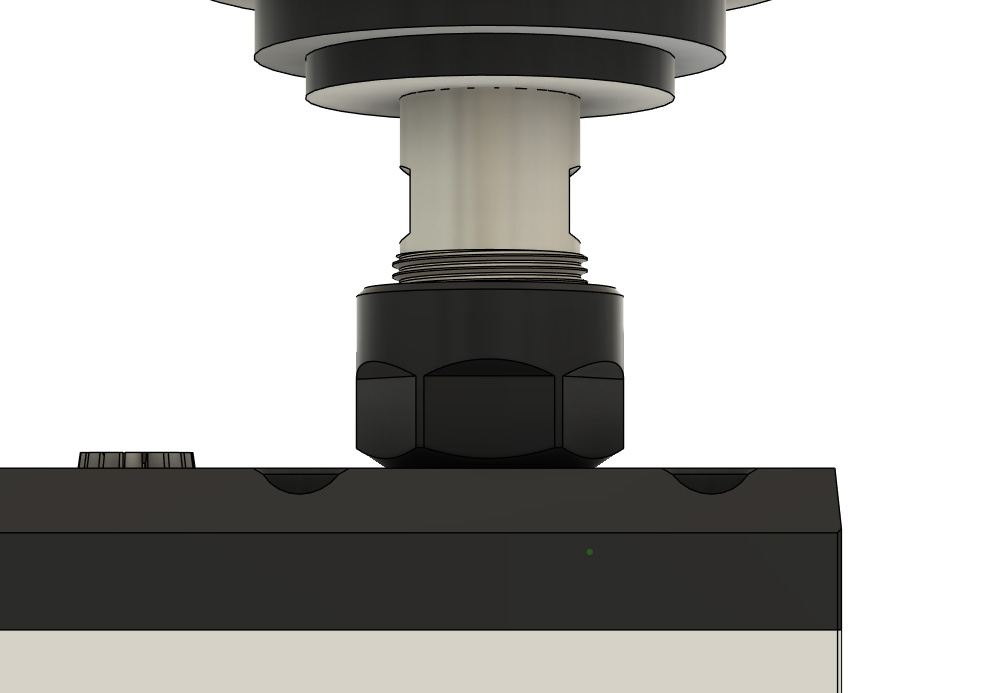
For Linear magazines found using this method, adjust the Z Engage Offset to 29mm.
For legacy models that use the 3D probe as a tool setter in a pocket: when the tool setter sits in the first pocket, the other pockets are spaced from the second pocket.